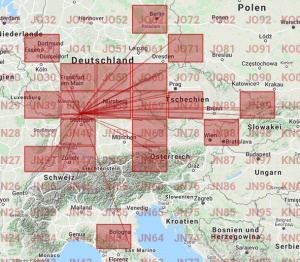
Worked locators: JN37, JN39, JN47, JN48, JN49, JN54, JN59, JN67, JN68, JN69, JN79, JN88, JN99, JO31, JO40, JO50, JO60, JO62, JO71
64 QSO’s
ODX OM3RBS 719km JN98KJ
http://www.opencontest.org/edi/map/20211107191857000743GAREHI
DXing, Contesting & Homebrewing
Worked locators: JN37, JN39, JN47, JN48, JN49, JN54, JN59, JN67, JN68, JN69, JN79, JN88, JN99, JO31, JO40, JO50, JO60, JO62, JO71
64 QSO’s
ODX OM3RBS 719km JN98KJ
http://www.opencontest.org/edi/map/20211107191857000743GAREHI
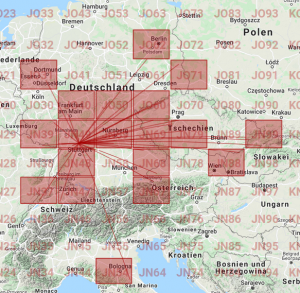
Worked locators: JN37, JN39, JN47, JN48, JN49, JN54, JN59, JN67, JN68, JN69, JN79, JN88, JN99, JO31, JO40, JO50, JO60, JO62, JO71
42 QSO’s
ODX: OM6A 703 km
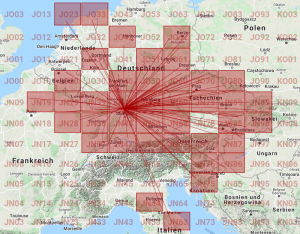
Worked locators:
JN19, JN28, JN29, JN37, JN38, JN39, JN47, JN48, JN49, JN54, JN57, JN58, JN59, JN63, JN67, JN68, JN69, JN75, JN76, JN77, JN79, JN86, JN87, JN88, JN89, JN98, JN99, JO20, JO23, JO31, JO33, JO40, JO42, JO50, JO51, JO60, JO61, JO62, JO70, JO80
111 QSO’s
ODX: OM6A 703KM JN99JC
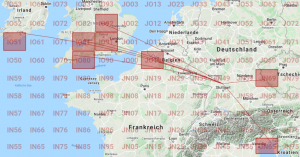
Worked Loc: IO51, IO80, IO81, IO91, IO92, JN65, JN69, JO10
ODX: EI3KD 1259km IO51VW
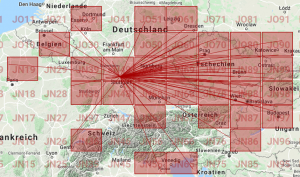
Worked locators: JN19,JN36,JN38,JN39,JN48,JN49,JN55,JN57,JN58,JN59,JN65,JN68,JN69,JN77,JN78,JN79,JN86,JN87,JN88,JN89,JN97,JN98,JN99,JO20,JO31,JO50,JO51,JO60,JO61,JO70,JO80,JO90
ODX: SP9KDA 745 km JO90PP
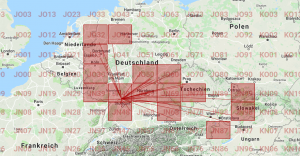
ODX: OM6A 703 km
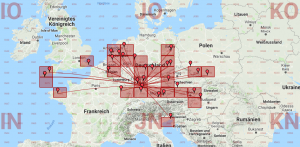
Worked Loc: IN79, IN88, IO70, JN38, JN48, JN48, JN49, JN58, JN65, JN68, JN69, JN78, JN87, JN88, JO01, JO20, JO21, JO22, JO31, JO32, JO40, JO41, JO50, JO60, JO61, JO62, JO80, JO90
Worked stations: OM5KM, DD1UN, DM5TI, DL2MS, DL3JIN, DL7VHF, DG1VB, OK1VBN, SQ6RMA, IV3GTH, SP9SM, DM2AB, SP6W, F4GEN, ON8SV, G8BCG, DM100ZM,F6DBI, G7RAU, G3NJV, M0GGO, OM1GX, DL4KG, PD1B, PH2M, DL1EMA, DF6PW, PB2A, PA0PVW, DL7DJ, DF1SDR/P, OK1GU
ODX: G3NJV 1036 km
Diesmal ging es zur Burg Stettenfels in Untergruppenbach bei Heilbronn. Da das gewohnte Setup dabei war, war auch der Aufbau zügig erledigt und nach knapp 10 Minuten nach der Ankunft konnten die ersten QSO geloggt werden. Da das Wetter für Oktober sehr gut war, haben die Kinder ein Feuer an der Grillstelle angezündet und bald auch gab es die ersten Würstchen. Anschließend haben wir noch eine Runde durch den Wald gedreht und einige Geocaches geloggt, bevor es wieder an den TRX ging um die 50 QSOs voll zubekommen – was auch geklappt hat.
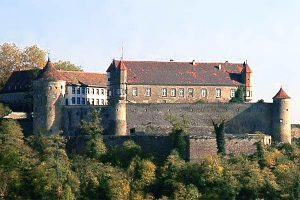
Burg Stettenfels in Untergruppenbach bei Heilbronn (Bild: Wikipedia)
Am 1. Mai zum Burgentag ging es diesmal zur Burg Guttenberg bei Haßmersheim. Als Standort für die Antenne haben wir uns einen kleinen Parkplatz am Waldrand in der Nähe der Burg ausgesucht. Während die Kinder spielten konnte ich um die 60 QSOs machen. Das Setup bestand aus einem IC-706, Linked Dipol und meinem selbstgebauten StepUp-Konverter, der aus der Autobatterie stabile 13,8 V Spannung liefert.
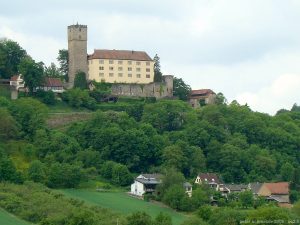
Burg Guttenberg in Haßmersheim-Neckarmühlbach (Quelle: Wikipedia)
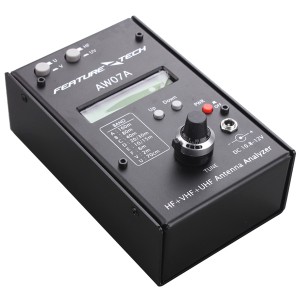
AW07A
|
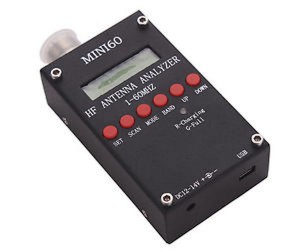
SARK 100
|
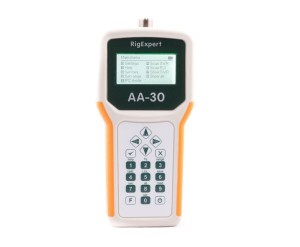
RigExpert AA-30
|
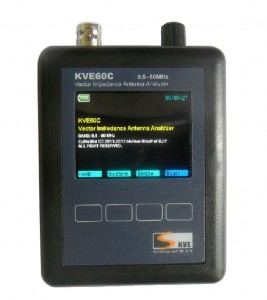
KVE60C
|